Getting Started with SCREAM NOTE
Your first haunted neighborhood session — from Steam launch to your first perfectly timed scare.
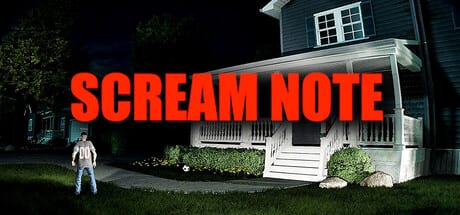
SCREAM NOTE is a co-op comedy horror game on Steam where you and up to seven friends explore a haunted neighborhood house, collect cursed notebook pages, and secretly trigger jumpscares on each other. The official pitch is simple: write a friend’s name, pick a scare, and watch the monster make them scream. Get jumpscared three times and you are eliminated. The last friend still standing wins — unless everyone cooperates long enough to reach the exit together.
This guide walks you through everything you need before your first match: buying and starting on Steam, understanding the two win conditions, learning the Scream Note loop, and knowing where to go next on this wiki.
Before you launch
SCREAM NOTE requires a 64-bit Windows 10 or newer PC, 8 GB RAM, and a GPU at or above a GTX 1050 Ti or RX 5500 XT. Full specs live on our system requirements guide. There is no demo on Steam as of launch day, so your first hour is the tutorial the community wished existed — which is why we built this wiki.
Install from the Steam store page, invite friends through Steam or in-game lobby tools, and enable proximity voice chat if your group wants the full social horror experience. Voice chat is not required, but betrayal hits harder when you hear someone swear they did not write your name.
Launch day (July 28, 2026): If you bought at unlock, run the launch day checklist before sending invites — it covers PC-reach scares, voice devices, and lobby rules in one pass.
Your first match in five steps
Step 1 — Enter the haunted house. You spawn with other players inside a multi-floor neighborhood structure. There is no traditional combat; movement and observation are your primary tools. Read our controls guide if you want keybinds before you queue.
Step 2 — Search for cursed pages. Pages spawn in rooms, closets, stairwells, and risky dead ends. Pick them up and stash them — you can hold multiple pages and activate them later. Our cursed pages guide explains spawn habits and inventory limits.
Step 3 — Decide your win condition early. Every group faces the same tension: cooperate toward the exit or play elimination and scare each other out. Neither path is wrong, but mixed signals cause chaos. Talk about it out loud, then read co-op multiplayer tips and winning strategies for both styles.
Step 4 — Use your first Scream Note carefully. Open a page, select a target, choose a scare type, and optionally set a delay timer. The monster spawns near the victim and chases until the jumpscare lands. If they saw you writing, your cover is blown. The Scream Note mechanic guide covers timing, stealth, and scare selection in depth.
Step 5 — Track elimination strikes. Each jumpscare adds one strike. Three strikes and you are out for the round. Watch other players’ reactions and listen for telltale audio cues. If you are the target, our escape walkthrough shows how to survive long enough to win or exit.
What makes SCREAM NOTE different
Unlike linear horror games, SCREAM NOTE is a social sandbox with more than 222 unique jumpscares. Scares range from clowns in trees to hands on shoulders to optional PC-reach effects you can disable in settings. The game is designed so victims actually scream — not a muted flinch — which makes sessions memorable for streamers and friend groups alike.
REAL PLAYERS, the developer and publisher, leans into paranoia: anyone can use a page on anyone, and authors stay anonymous until someone catches them writing. Alliances form and break within minutes. That is the core loop you will feel in your first session.
Where to go after your first round
If you lost because you did not understand controls, read controls and settings. If you want stronger scares, browse the jumpscare tier list. If you are planning a stream, set up Streamer Mode before going live. For map knowledge, study the haunted neighborhood map guide. Patch notes and launch updates sit on the updates hub.
Quick reference
| Topic | Best next read |
|---|---|
| Keybinds | Controls guide |
| Notebook usage | Scream Note mechanic |
| 2–8 players | Co-op multiplayer |
| Best scares | Jumpscare tier list |
| Launch week | Launch day checklist |
| Official links | Wiki links hub |
SCREAM NOTE rewards players who read the room — literally. Start with one honest conversation about whether your group is escaping or eliminating, then let the notebook do the rest.
Frequently Asked Questions
Quick answers about SCREAM NOTE gameplay and this wiki.
Is SCREAM NOTE free to play?
No. SCREAM NOTE is a paid Steam title published by REAL PLAYERS. Check the Steam store for the current price in your region.
How many players do I need?
The game supports 2–8+ players online. Solo play is not the intended experience; gather at least one friend for the social horror loop.
Can I play without voice chat?
Yes, but proximity voice chat is a major part of the design. Text or Discord works, yet in-game voice makes bluffing and betrayal much funnier.
What happens after three jumpscares?
You are eliminated for that round. The last surviving player wins the elimination mode, or the group can still win together if others reach the exit.
Is there a demo before I buy?
Steam does not list a public demo at launch. Use this wiki's guides and the official trailer to understand gameplay before purchasing.